IBM Watsonx AI Configuration
Overview
IBM Watson Studio is a toolset for exploring data to build, train, and deploy machine learning models. It integrates various tools, including Jupyter Notebooks, Anaconda, and Apache Spark, and supports both graphical drag-and-drop interfaces and command-line interactions. Watson.ai provides several generative AI services including vector embeddings and text completions. More information can be found at https://developer.ibm.com/learningpaths/get-started-watson-studio/introduction-watson-studio/
Configuration an AI Assistant
The following are needed in order to use the Watson AI embedding and completion services:
- Watson Studio project ID,
- API key and
- an associated service with an Editor role.
The details on using these IBM Watsonx AI values are in the “AI Assistant Configuration” document here.
A URL for Watsonx AI Studio is
https://cloud.ibm.com/catalog/services/watsonxai-studio?catalog_query=aHR0cHM6Ly9jbG91ZC5pYm0uY29tL2NhdGFsb2c%2Fc2VhcmNoPXdhdHNvbiNzZWFyY2hfcmVzdWx0cw%3D%3D
Two URLs to access your Watson projects are
https://dataplatform.cloud.ibm.com/projects

Click the right hand “Create Project” button.
Enter a name.
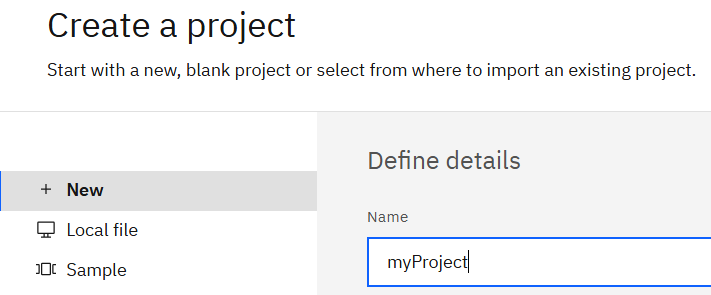
Click

Click the Manage tab

Copy the project ID

Click Access Control

Click

Start typing a filter.

Checkmark the service

Choose “Editor” from the drop down.

This role avoids this potential downstream error
message: 'Unauthorized user iam-ServiceId-1c415 in project_id 5c283 with Role editor
 due to: User iam-ServiceId-1c415 not authorized with role editor'
Click

Next the Watson ML service needs to be associated with the project. To avoid “project_id XXX is not associated with a WML instance”, navigate to
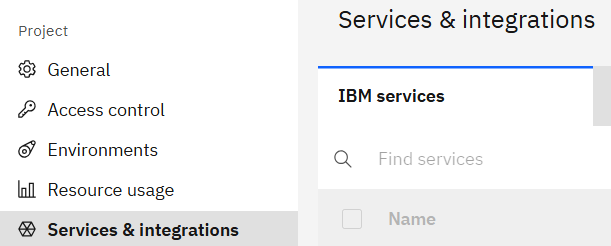
Click

Check

Click

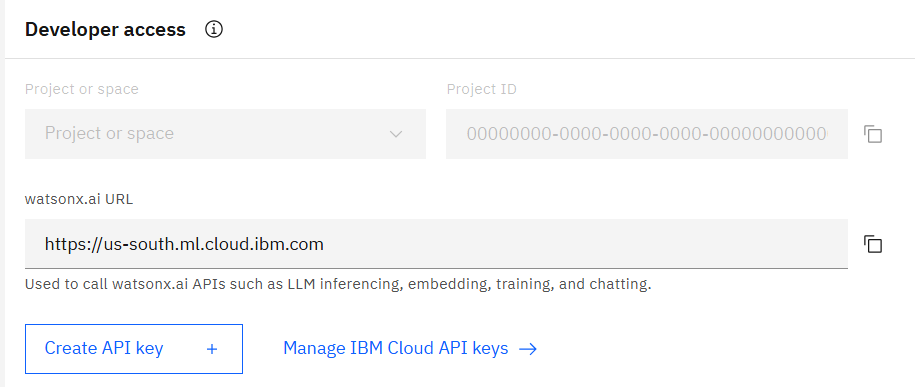
The existing API key was used for early testing. Nothing was done with the options shown below.
References
Here is an article on configuring Watsonx AI
https://medium.com/@harangpeter/setting-up-ibm-watsonx-ai-for-api-based-text-inference-435ef6d1a6a3
Here is a quick start link.
https://dataplatform.cloud.ibm.com/wx/home?context=wx&apps=data_science_experience,watson_machine_learning,cos,aiopenscale&nocache=true&onboarding=true&quick_start_target=watsonx